A reminder is the single most useful thing a weekly dose tracker can do. It takes the remembering off your plate and puts it on your phone. But a reminder also does something people don't always think about: it puts a message on your lock screen, where anyone nearby can read it.
That's fine for "Dentist at 3". It's less fine for a message that names your medicine and dose, lighting up on a desk in a meeting, on a table at dinner, or on a phone you've handed to a child. This guide covers how to set up a reminder that does its job and keeps your business your own.
Your lock screen is a public place
Think about where your phone sits during a normal week. On a desk at work. Face up on a café table. Passed round to show a photo. Mirrored to a TV, a car screen or a watch. Each of those is a chance for a notification to be read by someone who wasn't meant to see it.
Who you tell about your treatment is your choice. A reminder shouldn't make that choice for you.
8:00
Thursday
Shot day
It’s time for your shot.
What a good reminder says
A reminder needs to tell you what to do, and nothing more. You already know what you take. So the message can be plain:
- "Shot day" or "Jab day", depending on what you call it
- "It's time for your shot", at the time you usually take it
- A tap that opens the app you log in
What it should leave out:
- The medicine's name, brand or generic
- The dose
- Anything about why you take it
Picking the right time
The best reminder time is a little before your usual dose time, at a moment when you're normally at home with your pen. A reminder that fires while you're on the school run is easy to swipe away and forget.
- Choose a time you're usually at home. Evening suits a lot of people.
- Consider a heads-up a little before the time, if you'd like a moment to get your pen ready or finish what you're doing. In Hushweek, How early in You › Reminders moves the reminder to 30 minutes, an hour, two hours or a day before.
- Keep the day stable. If you change your dose day, change the reminder at the same moment, so the two don't drift apart. Hushweek moves its reminder for you when you save a new dose day.
- Watch out for time zones. If you travel, read our guide to weekly doses across time zones.
Widgets, watches and the rest
Lock screen notifications aren't the only place your phone talks. Home screen widgets, smartwatch faces, Live Activities and voice assistants can all show details too. Check each one:
- A widget showing "Next dose: Thursday" is helpful; one showing the name of the medicine is visible to anyone who sees your home screen.
- A watch mirrors your phone's notifications by default, on your wrist, in full view.
- Siri or other assistants can read notifications aloud.
Remind the person who takes it. Tell no one else.
How Hushweek does it
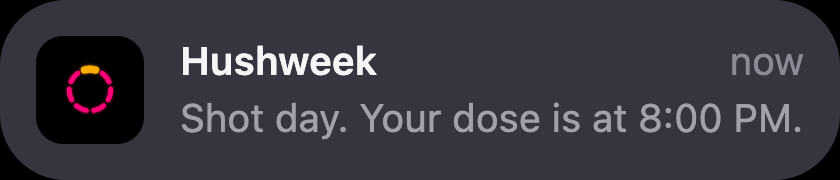
Hushweek's reminders are scheduled on your phone, never through a server, and they never name your medicine. A locked screen shows "Shot day" and "It's time for your shot." ("Jab day" and "jab" in the UK and Australia, "Tablet time" for a daily tablet) and nothing more. The same goes for the home screen widget, which is free, and for the Live Activity, the Apple Watch app and Siri that come with Pro: they show a day and a time, never a medicine. If you'd like an extra layer, the app lock (free) keeps the whole app behind Face ID or your passcode.

For more on what a health app should and shouldn't do with your data, read what a health tracking app should never do.
Questions people ask
How do I set a reminder for a weekly injection?
Use a reminder app or a dose tracker, set it for your usual dose day and time, and choose a time you're normally at home. A heads-up a little earlier helps if you like time to get ready.
Can my notifications show my medication name?
Many apps do show it. If you'd rather keep it private, choose an app whose reminders say what to do without naming the medicine, or edit the reminder text yourself.
Do Hushweek reminders name my medicine?
No. Reminders, the widget, the Live Activity, the watch app and Siri never name your medicine. They say it's dose day and when.
What if I can't remember whether I took my dose?
Check your log first; that's what it's for. If you didn't log it and you're still unsure, don't guess. Check your medicine's label and ask your pharmacist or prescriber what to do.
Keep your week in one quiet place.
Doses, sites, weight, side effects and food in a free app that follows your medicine’s own label. No account needed.
Get Hushweek